Technology / Monitoring & Reporting
Monitoring & Reporting
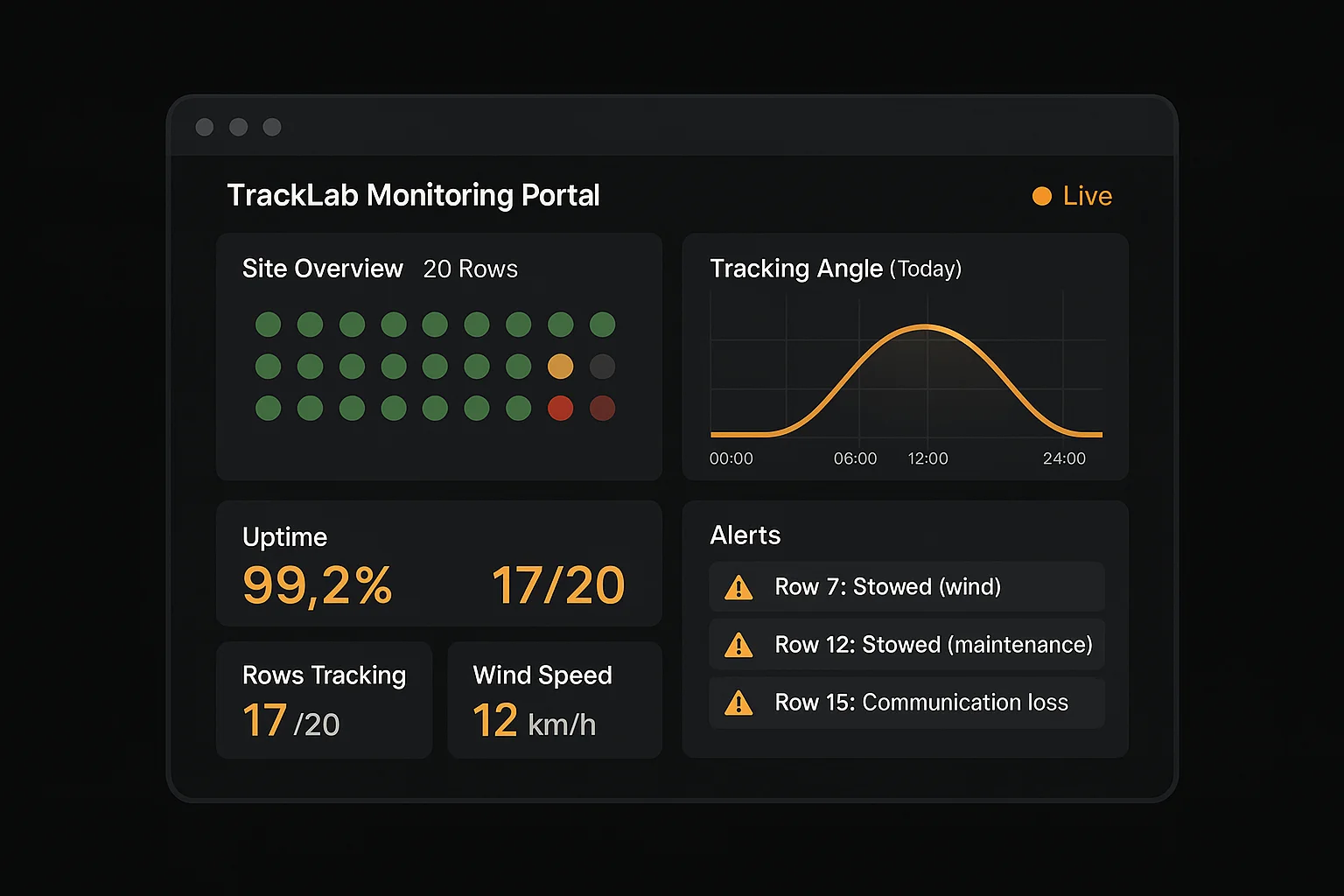
TrackLab provides real-time monitoring and performance reporting for every solar tracker on site through a browser-based portal. Operations teams can view device status, analyse trends, configure alerts, and manage devices remotely — from anywhere.
The monitoring platform receives data from every TCU via the site NCU. All device telemetry, alerts, configuration changes, and operational events are captured and available for real-time viewing and historical analysis.
Monitoring Portal
Monitoring Features
Real-Time Tracker Status
View the position, status, and health of every tracker row on site in real time. The dashboard shows which rows are tracking, stowed, or reporting anomalies.
Performance Analytics
Track solar tracker performance over time with trend analysis. Compare expected vs actual tracking angles, identify underperforming rows, and monitor site-wide energy yield impact.
Automated Alerts
Configure alert thresholds for wind speed, temperature, communication loss, motor faults, and other operational parameters. Alerts are delivered via the portal and configurable notification channels.
Device Health Monitoring
Monitor TCU and NCU hardware health including power supply voltage, internal temperature, communication signal strength, and motor drive status.
Weather Integration
On-site weather stations feed wind speed, temperature, and irradiance data to the NCU. Weather data drives automated stow decisions and is displayed in the monitoring portal.
Activity Logs
Complete audit trail of all system events: stow triggers, configuration changes, firmware updates, user actions, and automated responses with timestamps.
Reporting Capabilities
Performance Reports
- Daily, weekly, and monthly summaries
- Tracking accuracy and uptime metrics
- Site-wide energy yield correlation
Operational Reports
- Stow event frequency and triggers
- Communication uptime by device
- Maintenance scheduling and history
Compliance & Audit
- Activity logs with full audit trail
- Configuration change history
- User access and action records
Remote Management
Remote Configuration
Change tracking parameters, stow thresholds, backtracking schedules, and device settings from any browser. Changes propagate from cloud to NCU to TCU.
Stow-for-Safety Automation
Weather-triggered autonomous stow with configurable thresholds. The system stows trackers automatically when wind speed, hail risk, or other parameters exceed safe limits.
Over-the-Air Firmware Updates
TCU and NCU firmware can be updated remotely from the cloud portal. Updates are distributed via the NCU to all connected TCUs — no on-site visits, USB connections, or serial cables required. The update process includes verification, rollback capability, and progress tracking.
Upload
Upload firmware to the cloud portal
Deploy
Select target devices and initiate update
Distribute
NCU distributes to TCUs over field network
Verify
Automatic verification of successful update
Related Documentation
Share this resource
Cite this page
TrackLab Solar. (2026). Monitoring & Reporting. Retrieved from https://tracklabsolar.com/technology/monitoring-and-reporting
Want to see the monitoring portal?
Our team can provide a guided walkthrough of the TrackLab monitoring platform and demonstrate how it fits your operational workflows.